Everything in the App Builder now works from the keyboard. Add a block from the Blocks panel, move between blocks with the arrow keys, press Enter to select one, F2 to rename a screen and Delete to remove a block. Dialogs keep your focus until Escape closes them.
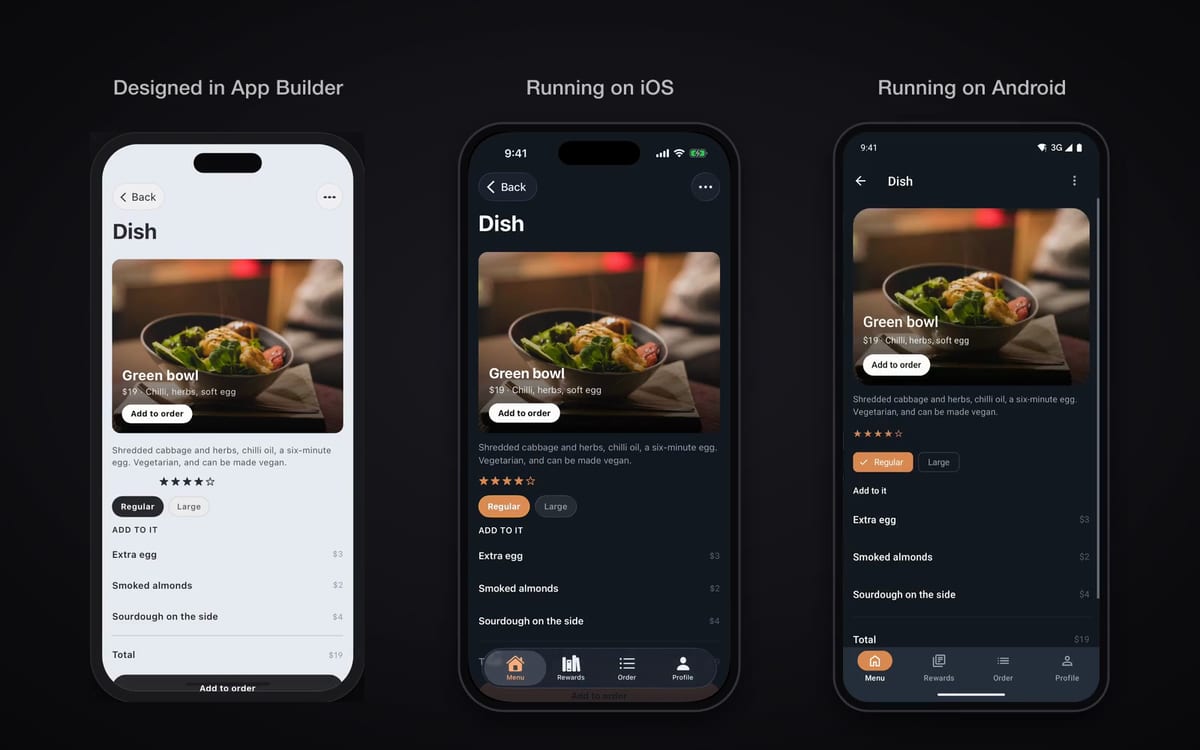
Each phone on the canvas now shows exactly its device’s screen, with the header your exported app gives it (a large title on a tab), the app’s own screen and card colours, and text at the app’s sizes.
On Android, the floating action menu is Material 3 Expressive’s own, search opens Material’s search field, and the stepper, the quantity stepper and the icon buttons take Material’s shapes, sizes, press feedback and haptics.
On iOS, the stepper is Apple’s system stepper, and the date picker and a header’s main action take your app’s accent colour instead of system blue.
Each was checked on an iPhone and a Pixel 8 before it shipped, and so was every starter app.
A generated sign-up form now hides the password as you type it, and iOS offers a strong password. Email fields bring up the email keyboard, Return moves to the next field, and the form moves out of the keyboard’s way.
A button you put in a screen’s header becomes a native bar button on iOS and a top app bar action on Android. The floating add button floats in the corner above the tab bar instead of scrolling away with the list, and dates open the system picker: Apple’s compact date picker on iOS, Material 3’s date and time dialogs on Android.
Each was checked on an iPhone and an Android phone before it shipped.
Every component was run again on an iPhone and a Pixel 8 at the current code, and a generated app was built and run on both phones, so every cell of the table is a fresh observation.
Verified on iOS 26 and on Android 16 with Material 3 Expressive. iOS 27 support is in progress.
Shift-click blocks, or drag a box around them, and they move, duplicate and delete as one. Drag the group to another row or onto another screen, and any arrow it carries goes with it.
Tidy up lays your screens out in the order people move through them, with one press or Ctrl+Alt+T. Each of these is a single undo.
The components page now plays each component on an iPhone and an Android phone side by side, at one scale, in light and dark, with its measured size under each. Liquid Glass on iOS 26, Material 3 Expressive on Android: two design languages, each the real thing.
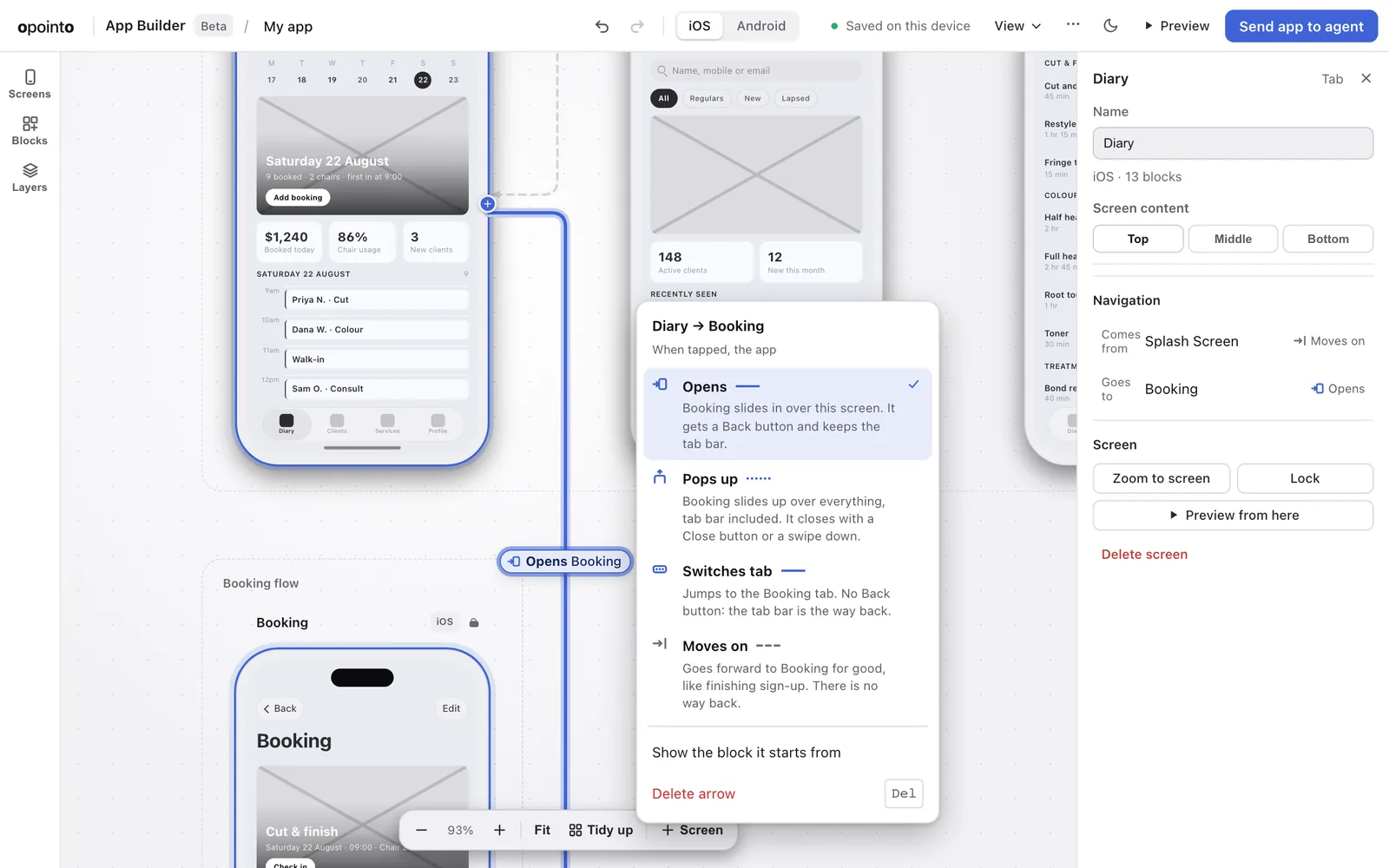
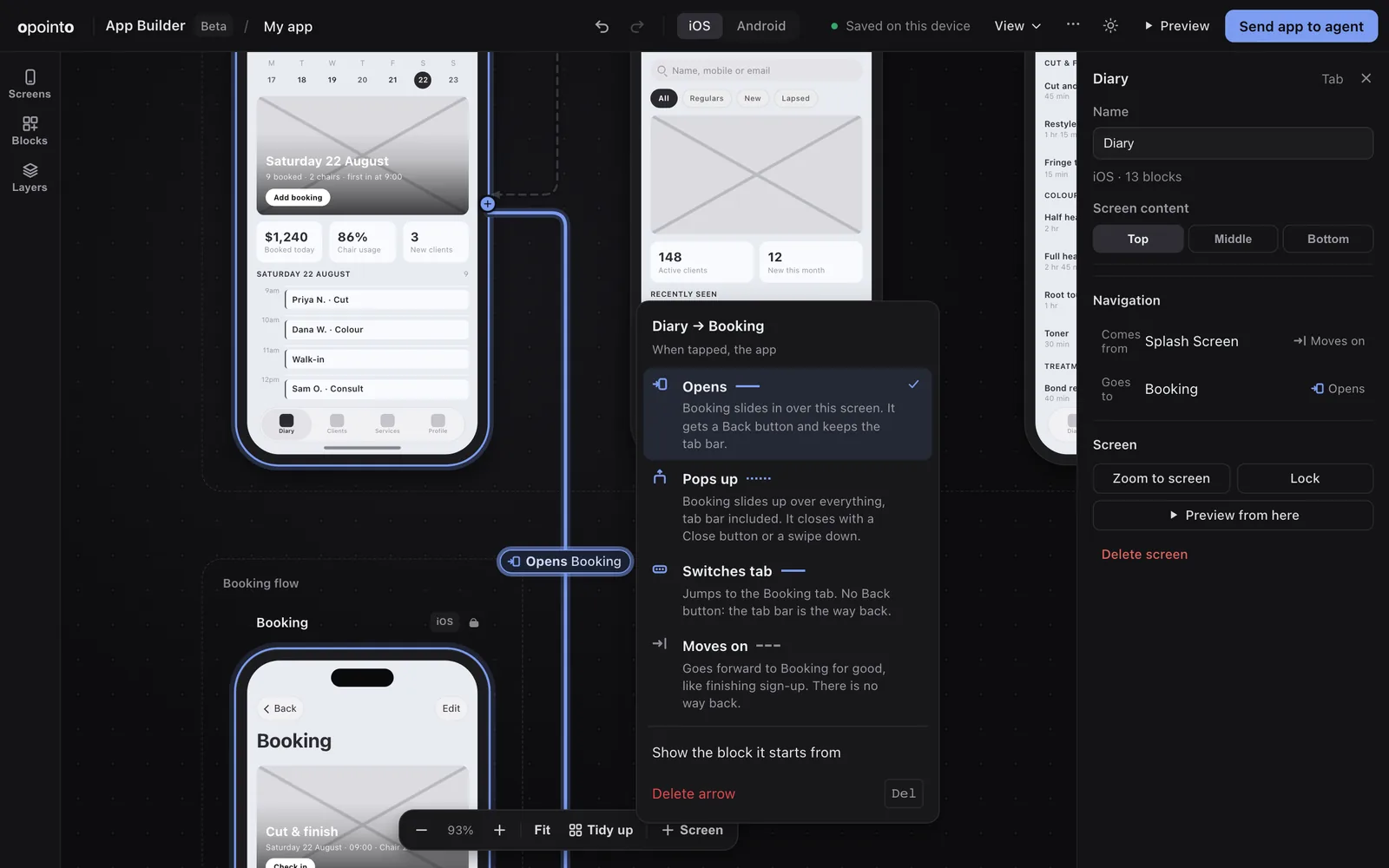
Draw an arrow from a button to a screen and that is the navigation your app ships with. Every arrow says what it does (Opens, Pops up, Switches tab or Moves on), and an arrow the app cannot build is flagged on the canvas instead of at the end.
The blocks panel speaks plain words, grouped by what each block is for with the most used first, and its search forgives a typo. Drag to move, pull an edge to resize, guides appear when your spacing is even, and a short tour shows you around the first time.
Components are named the way Apple, Material and the major React Native libraries name them: a switch is switch, a segmented control is segmented-control, a sheet is bottom-sheet.
Every name we ever published keeps working. Apps exported before the rename keep receiving updates, and an agent that asks for an old name gets the right component.
One compatibility table now feeds every page, the docs and what your agent is told. It is generated from what was actually run on a device, so nothing claims a platform until a run says so.
Xcode 27 support is in progress: a project on Expo SDK 56 built with Xcode 27 crashes at launch on iOS 27, so stay on Xcode 26 until our exports move to Expo SDK 57 (expo 57.0.23 or later and expo-build-properties 57.0.20 or later) with ios.enableSceneSupport. Your agent is told before it builds, and verify_app stops rather than hand you an app that would crash at launch.
The Android tab bar is now Material 3 Expressive’s short navigation bar: 64dp tall, and 88dp with the gesture area under it, measured on a Pixel 8. It was 128dp, because the room for the gesture area was added twice.
A setup page with the exact command or config for Claude Code, Cursor, Codex, VS Code and Gemini CLI, with a copy button for each. The free lookup tools need no account and no key.
llms.txt and AGENTS.md now point agents to the same page, so an agent that finds us on its own lands on the right instructions.
One plan at $25 per seat per month, or $20 a month billed yearly. The price you join at is locked for as long as you stay subscribed, and designing in the browser stays free.
Every component on Android now draws Material 3 Expressive through Jetpack Compose, on every Android version, with no glass or blur. All ten starters were re-checked on Android 16, 15 and 11.
iOS keeps real Liquid Glass on iOS 26. The two are different design languages on purpose: native on both.
Preview runs your screens the way the app will: tap a block to follow its arrow, switch tabs, go back. A command menu (Cmd K or Ctrl K) finds any screen, block or action by typing.
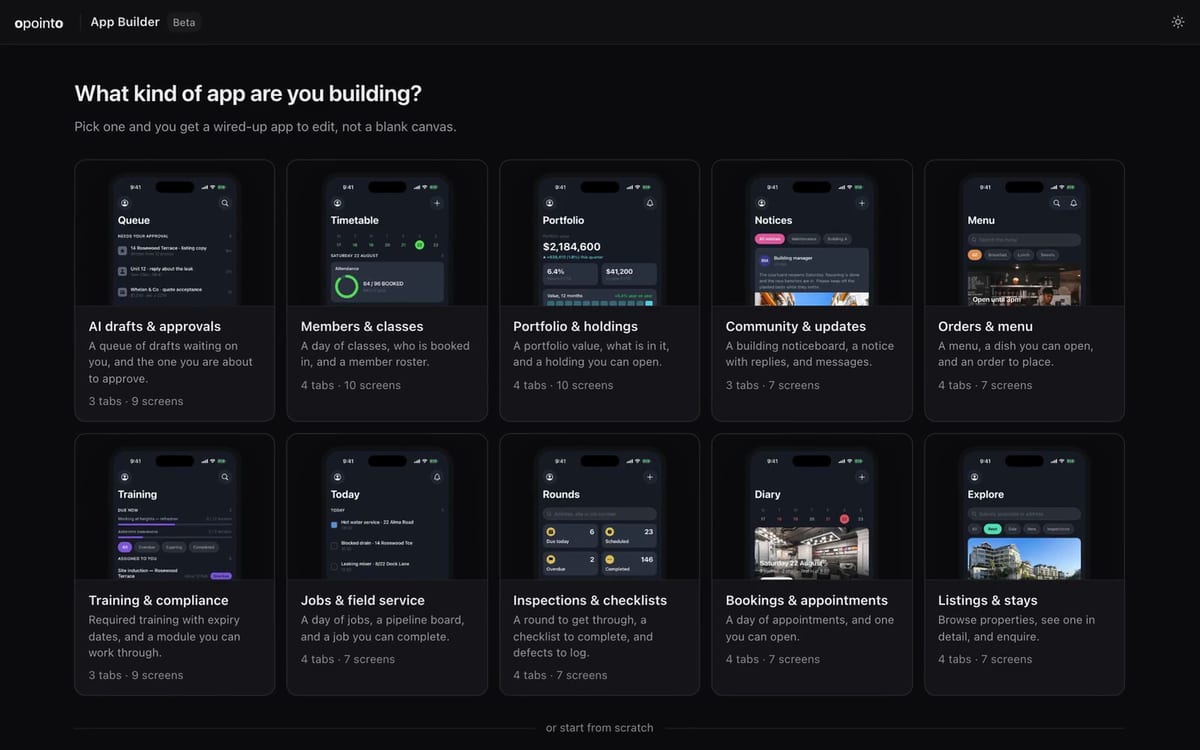
Starters now open ready to edit, and the picker shows each one’s real first screen.
A Claude Sonnet-class agent built the Bookings starter from a share code and ran it on iOS and Android with zero interventions, twice in a row. Our tools used about 2% of the agent’s context on the whole build.
New build tools let your agent add a screen, install a component and update the components and app shell we supplied as iOS and Android move. verify_app checks the result against what it was told to write, so the agent knows when it is done.
The opointo server is live and listed, so agents can find it by name. The lookup tools are free: which component to use, what props it takes, and whether a snippet will render blank.
Bookings, orders, members, listings, inspections, field jobs, training, a portfolio, a community noticeboard and AI approvals. Every tab and every detail screen is captured running on iOS and on Android.
An arrow can now open a screen as a pop-up (a modal) as well as a tab or a pushed screen, which completes the navigation you can draw. Navigation headers follow your theme in dark mode.
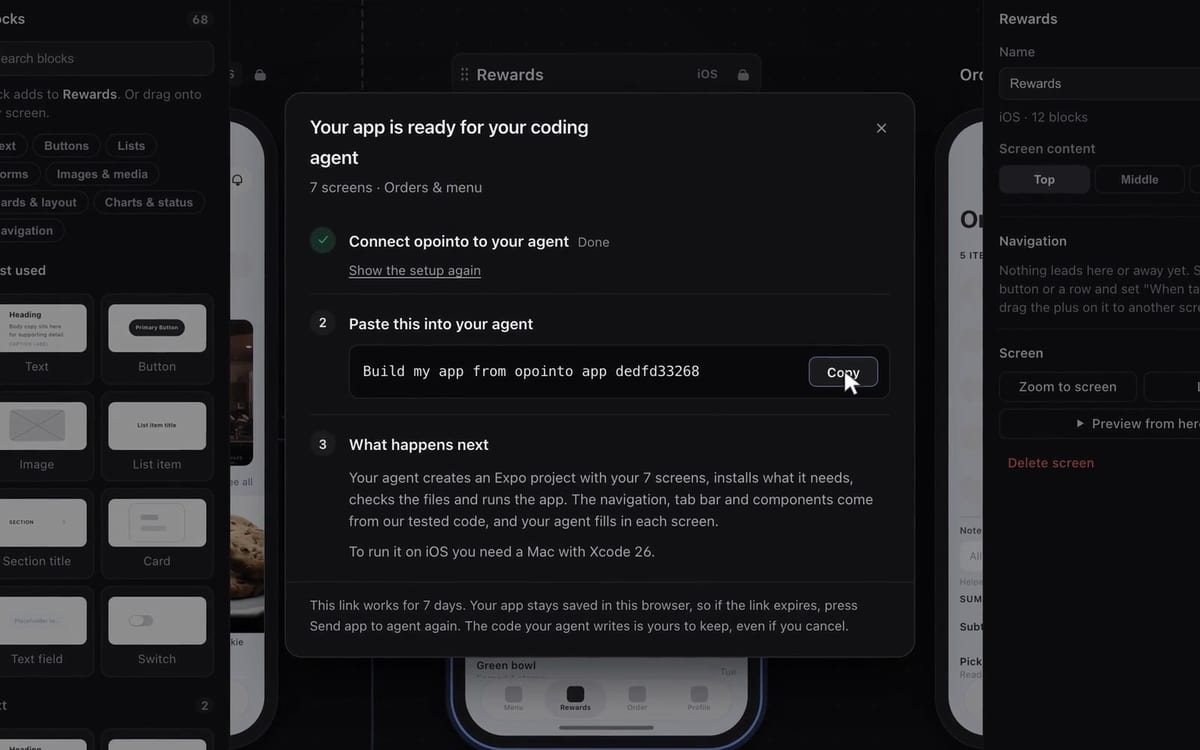
The whole canvas now ships as one app: press Send app to agent, paste one line into your coding agent, and it builds an Expo project with your screens, the navigation and the app shell.